What is Always On?
▼
What actually is Always On?
▼
Always On is a commercial control system designed to help businesses capture, qualify, route and progress buyer interest more effectively. It is not just a chatbot, a form tool, or a CRM add-on. It sits across the front end of the customer journey, helping web visitors, inbound enquiries and sales teams move from scattered activity to a more joined-up process. It connects marketing and sales, improves first response, supports qualification, and gives the team more context before human conversations happen.
Is this just a chatbot with a fancy name?
▼
No. A chatbot might be one visible component, but Always On is broader than that. It is a system for handling commercial attention and intent more effectively across channels. That can include forms, web chat, email, routing logic, qualification workflows, internal prompts, meeting prep, reporting and intelligence. The point is not to add a bot for the sake of it, it's to design a joined-up process that helps buyers get what they need and helps the business respond properly.
What problem does this solve?
▼
It solves the gap between buyer intent and business response. In many companies, people visit the website, fill in a form, send an email, or show clear interest, but the follow-up is slow, fragmented, inconsistent or unclear. Always On is designed to reduce those leaks. It helps ensure attention is captured, acknowledged, qualified, routed and progressed in a more controlled way, so the business has a better chance of turning interest into conversation and conversation into revenue.
Why is this relevant now?
▼
Buyers increasingly research independently, expect timely responses, and compare experiences long before a salesperson knows they exist. At the same time, businesses are under pressure to improve performance without simply throwing more people at the problem. Missed or mishandled inbound demand is expensive. Slow response feels careless. Always On is relevant because it addresses those practical pressures directly, helping businesses become more responsive, more connected and more commercially disciplined.
Who is it for?
▼
Is this mainly for big businesses?
▼
No. In many ways, smaller and mid-sized businesses often feel the benefit sooner because missed leads, slow response and fragmented ownership hurt them quickly. Larger businesses may have more complexity and greater scale, but smaller firms often have fewer buffers. Always On is valuable wherever there is inbound demand, inconsistent handling, and a desire to improve how buyer interest becomes commercial progress.
How does it help Sales Directors specifically?
▼
For Sales Directors, Always On creates more control where businesses often have the least: early buyer engagement, response speed, lead routing, qualification quality, and team consistency. Many leaders know pipeline outcomes are affected long before an opportunity appears in forecast, but they cannot always see what happened earlier. This system helps close that gap, making leadership conversations more grounded, coaching more targeted, and commercial management far less dependent on guesswork.
How does it help sales professionals on the ground?
▼
For sales professionals, the value is practical. They receive better-qualified opportunities, faster internal notification, and more context before they engage. That reduces the feeling of walking into conversations cold. Less time wasted chasing unclear enquiries, digging around for background, or dealing with leads that sat untouched for too long. The system is meant to support, not burden, making it easier to respond well, prepare well, and use selling time where a human being adds the most value.
Can this help with technical sales or complex product environments?
▼
Yes, and that is one of the more interesting use cases. In technical sectors, the problem is often not just lead volume, it is matching the enquiry to the right expertise quickly and equipping the commercial team with enough context to respond properly. Always On can help capture more structured information up front, route the enquiry based on product or application area, and support the rep with internal prompts or knowledge before the conversation.
Does it replace my existing tools?
▼
Is this just another CRM?
▼
No. A CRM is primarily a system of record, it stores contact details, pipeline stages, notes and tasks once something is already in the sales process. Always On is different. It focuses on the stages before and around that handover, where many businesses lose momentum. It can feed a CRM, support a CRM, and improve what goes into a CRM, but it is not simply another place to log activity.
Do we still need our CRM if we use this?
▼
In most cases, yes. Always On is designed to improve what happens before and around CRM entry, not replace every function a CRM performs. What it does is strengthen the quality of what enters that system, ensuring enquiries aren't missed, the right information is captured, and the rep receives context before taking over. That means the CRM becomes more useful because the data entering it is more timely, relevant and commercially meaningful.
Is this replacing salespeople?
▼
No. It is meant to strengthen the work of salespeople, not remove the need for them. Buyers still need reassurance, commercial judgement, experience, credibility and conversation, especially when the decision is complex or carries risk. What the system can do is handle repetitive first-touch activity, reduce delays, improve qualification, and make sure the salesperson steps in with better context. The aim is better use of people, not fewer people by default.
What makes this different from hiring another salesperson?
▼
Hiring another salesperson may increase capacity, but it doesn't automatically fix poor lead handling, slow response, weak qualification or fragmented handoff. In fact, a new salesperson dropped into a messy process often inherits the same problems. Always On addresses the system around the person, ensuring enquiries are captured properly, responded to promptly, and passed across with better context. That can make existing people more effective before headcount is added.
Will it integrate with the tools we already use?
▼
That is usually the right goal. Always On should not be designed in isolation from the wider commercial stack. In most cases, it should connect to or complement existing tools such as CRM systems, websites, forms, calendars, email, workflow tools and reporting environments. The principle is straightforward: reduce fragmentation rather than create more of it.
Technical & Data
▼
Who owns the data inside Always On?
▼
Your business owns your data. Under UK GDPR, your business is the data controller, you decide why and how personal data is processed. Plan Grow Do Ltd acts as the data processor, acting only on your instructions. This relationship is set out in full in our Data Processing Agreement, which is an Article 28-compliant contract available for review or signature on request.
Where is our data stored?
▼
The platform database runs on Supabase, hosted in the EU region. The application is served via Vercel. Email delivery uses Resend. AI processing uses Anthropic's Claude API, which processes data in the United States under Standard Contractual Clauses (SCCs) and the UK International Data Transfer Addendum (IDTA), meaning the data transfer is governed by approved legal mechanisms, not simply sent overseas unchecked. A full list of sub-processors is published in the Data Processing Agreement.
Is our data used to train AI models?
▼
No. Always On uses Anthropic's API (Claude models) under commercial terms that explicitly exclude customer data from being used to train Anthropic's models. Your conversations, contacts, and commercial data are used only to generate responses in real time, they are not retained by Anthropic for training or improvement purposes. This is confirmed in our Data Processing Agreement.
How is our data kept separate from other businesses on the platform?
▼
Every tenant (business) on the platform is fully isolated at the database layer. Each record in the Supabase database is tagged with a unique tenant ID, and Row Level Security (RLS) policies enforce that queries can only ever return data belonging to your tenant. It is not a UI-level restriction, the database itself rejects cross-tenant queries. There is no scenario in which another business could see your data, and vice versa.
How does email integration work, is it secure?
▼
Email connections (Gmail and Outlook) use OAuth 2.0, a secure token-based handshake. No email passwords are stored at any point. Each rep connects their own mailbox individually, so access is personal and isolated. The platform reads incoming emails to provide response-drafting and context, using read-only scopes where available. OAuth tokens are encrypted at rest and can be revoked at any time by the rep directly through their Google or Microsoft account settings. Full detail is in the Integrations & Security overview.
What other channels integrate with the platform?
▼
Always On can connect to Gmail, Microsoft Outlook and Teams, WhatsApp Business (via Meta), web forms, and CRM systems. Each integration is purpose-built: the platform only requests the scopes it actually needs, connections are per-tenant, and no data from one business's integrations is visible to another. A full breakdown of what each integration does and what data it touches is available in the Integrations & Security overview.
Who are the sub-processors?
▼
The sub-processors used by Always On are: Anthropic PBC (AI processing via Claude API, US), Supabase Inc (database, EU), Vercel Inc (hosting and CDN, US), and Resend Inc (transactional email, US). Integration channel providers, Microsoft, Google, and Meta, process data only within your own account credentials and are not sub-processors of Plan Grow Do Ltd. The full sub-processor list with locations, purposes and transfer safeguards is published in the Data Processing Agreement.
What happens if there is a data breach?
▼
In the event of a personal data breach, Plan Grow Do Ltd will notify you within 24 hours of becoming aware of it, giving you sufficient time to fulfil your own obligation to notify the ICO within 72 hours if required. Notification will include what happened, what data was affected, the likely consequences, and the steps being taken. This commitment is set out in full in the Data Processing Agreement.
Is it GDPR compliant?
▼
Always On is designed to operate in line with UK GDPR. The platform applies data minimisation, purpose limitation, defined retention periods, encrypted storage at rest and in transit, role-based access control, and a formal Article 28 Data Processing Agreement covering the controller-processor relationship. We have a published Privacy Policy, DPA, and Integrations & Security overview. If your legal or compliance team wants to review these or request a signed DPA, contact info@plangrowdo.com.
Who can see what inside the system?
▼
Access is role-based and scoped to your tenant. Reps see their own assigned contacts and conversations. Managers see team-wide activity within their organisation. Platform administrators at Plan Grow Do Ltd can access tenant configuration for support purposes, this is disclosed in the DPA. No user from another business can ever access your data. Audit capabilities and deletion rights are also addressed in the Data Processing Agreement.
Where can I read all the data and security documents?
▼
All three documents are available on the Data & Security hub: the Platform Privacy Policy, the Data Processing Agreement, and the Integrations & Security overview. If you need anything beyond what is published there, email info@plangrowdo.com.
Getting Started & Adoption
▼
Is this just another tool my team has to learn?
▼
It should feel less like "another tool" and more like a layer that removes friction from how the business already works. The goal is not to create extra admin or force teams into a clunky new routine. Good implementation matters here. If built properly, the system should reduce manual chasing, improve routing, and help reps prepare better without adding unnecessary complexity. The measure of success is simple: does it save time, improve response, and help people do their jobs better?
How hard is it for the team to adopt?
▼
Adoption depends less on the software itself and more on whether the system solves a real problem in a clear, practical way. If the team experiences it as extra admin, forced change, or surveillance, adoption will be weak. If they experience it as faster handover, better information, less chaos and more support, adoption improves quickly. Good onboarding, clear ownership, role-based views and a sensible workflow matter far more than a long feature list.
How will we know it is working?
▼
Success should be judged through practical commercial indicators: response times, lead acknowledgement speed, routing accuracy, contact rates, qualification quality, meeting preparedness, progression rates, and the percentage of inbound opportunities that move meaningfully forward. The point is not to celebrate the tool being live. The point is to see whether the business is handling opportunities more effectively than before.
What if we already respond quite well now?
▼
That is good, but it is still worth asking how consistent that really is across channels, people and busy periods. Many businesses respond well when things are calm or when the right person spots the enquiry quickly. The question is whether the process is robust, measurable and repeatable. Always On is also for businesses that want to protect standards, reduce reliance on heroics, and build a more scalable front end to growth.
Will this make our team more robotic?
▼
It should do the opposite when implemented well. Good automation removes delay and admin while preserving or even improving relevance. Always On should be designed around useful, human-sounding responses, sensible qualification, and a clear transition to the right person when human input is needed. By taking care of repetitive first-stage tasks, it can free the team to be more human where it matters most: listening well, solving problems, applying judgement, and building trust.
Will buyers actually want this kind of experience?
▼
Buyers don't usually care what technology sits behind the process. They care whether the experience is useful, timely and relevant. If Always On helps them get a faster response, clearer direction, better information, and access to the right person without unnecessary delay, then yes, it supports a better buyer experience. The test is whether it helps the buyer make progress, not whether it feels clever internally.
Who are the AI agents inside Always On?
▼
Who are Dan, Sally and Caroline?
▼
Dan, Sally and Caroline are the three AI agents that power Always On. Each one is built for a different part of your commercial operation. Sally handles every inbound enquiry from your website. Dan lives on the dashboard and supports the sales team day to day. Caroline gives leadership the intelligence layer they need to manage pipeline and performance. Together they cover the full cycle, from first web visit through to closed deal.
What does Sally do?
▼
Sally is your inbound handler. She reads every form submission as it arrives, scores the lead, and routes it to the best-fit rep based on territory, sector or capacity, with no manual handoff. Within seconds, the enquirer receives a personal acknowledgement with the rep's name and what happens next. If an enquiry is vague or thin, Sally sends a short four-question follow-up to gather the missing context before deciding whether it is worth a rep's time. Every conversation is logged to the contact record so the business retains the full picture, even if a rep moves on.
What does Dan do?
▼
Dan is your daily sales advisor, he lives on the Always On dashboard and is always on call for the team. Ask him who needs chasing and he gives a straight answer with context from the pipeline. Ask him to prep you for a meeting and he pulls together everything known about that contact in seconds. He flags contacts that have gone quiet before warm leads go cold, suggests what to do next, and prioritises the day so effort goes where it has the most impact. He can also take you directly to any contact record from a single conversation, less clicking, more selling.
What does Caroline do?
▼
Caroline is the intelligence layer for leadership. She produces regular activity digests so managers can see what is happening across the team without pulling a report themselves. She surfaces contacts that went quiet and never converted, bringing revenue potential that was already paid for back into view. She highlights patterns in what is and is not working so the business learns over time. And she flags pipeline health early, before a thin month becomes a bad one, giving leadership time to act rather than react.
Do all three agents come as standard?
▼
Yes. Sally, Dan and Caroline are all part of the Always On platform. They are configured around your business, your products, team structure, sales process and terminology, so they represent you accurately rather than giving generic responses. The knowledge base built during onboarding is what gives each agent its context and character.
Are the agents available around the clock?
▼
Yes. Sally handles inbound enquiries at any hour, including evenings, weekends and bank holidays, so web visitors get an immediate, professional response regardless of when they make contact. Dan and Caroline are available to the team whenever they need them, from any device. The always-on name is not just a brand, it reflects how the system actually operates.
No exact FAQ match, but our AI is answering below. Or .
Always On AI, answering your question
AI-generated response based on Always On product knowledge. For detailed or specific queries, speak to the team.
Free Download
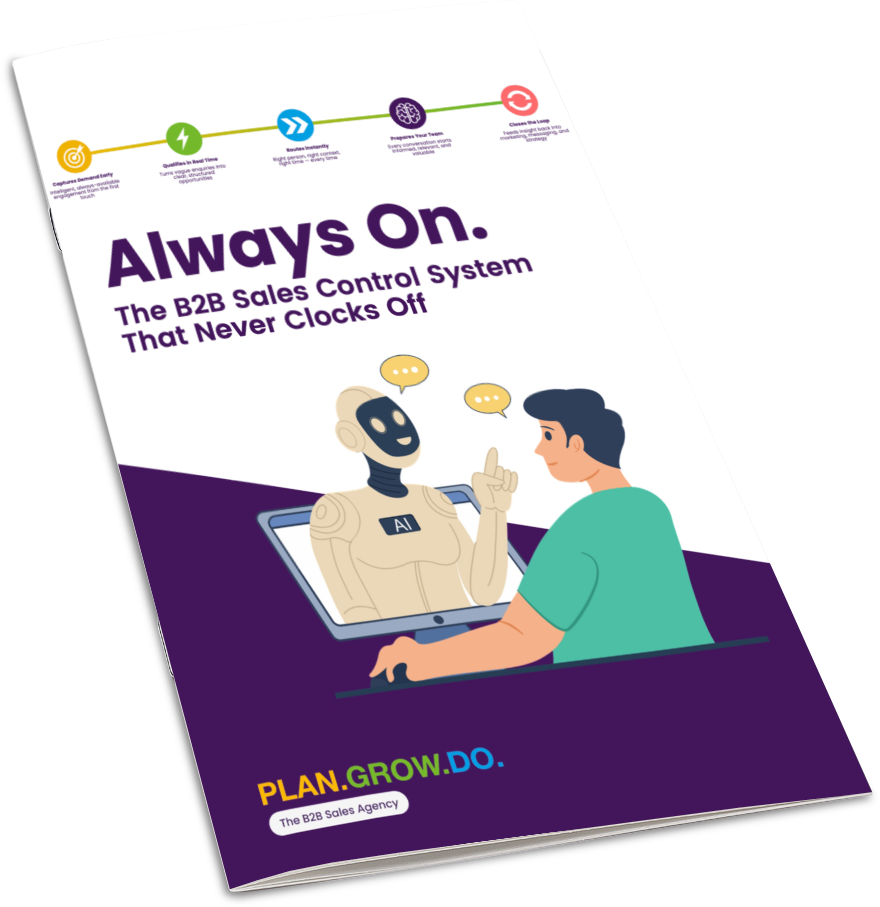
The Always On Brochure
Everything about the system in one sharp PDF.
⬇ Download Free PDF No sign-up requiredStill got questions?
Talk to the team directly, we will walk you through Always On and answer anything specific to your business.
Get in touch →